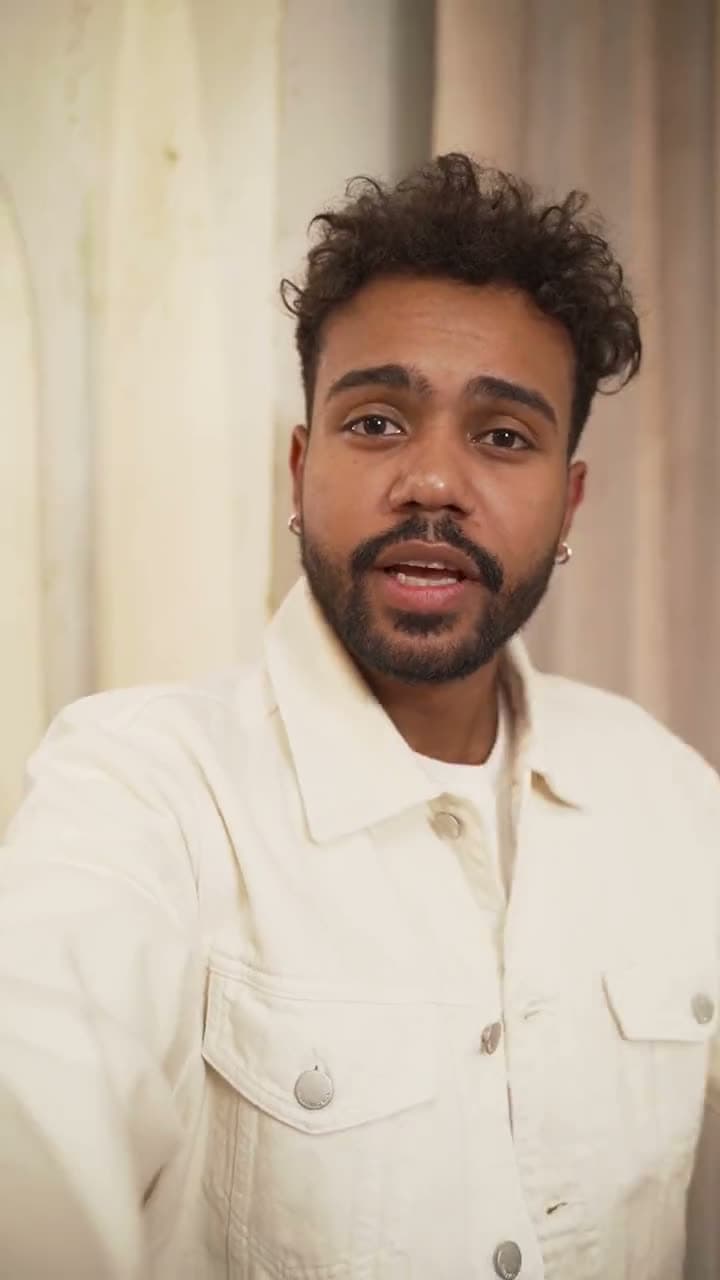
Just talk. EditBoss cuts the rest.

Film the take however it comes out. EditBoss hears every word, keeps your best delivery and cuts the retakes, pauses and ums. Then it shows you every cut, so nothing leaves without you knowing.

For iPhone and Android. $0 today, cancel anytime.

Your take0:00.0 / 0:09.0
0:00
0:01
0:03
0:04
0:05
0:06
0:07

The raw take, as filmed.

Nothing gets cut behind your back.

Most AI editors hand you a finished video and hope you like it. EditBoss hands you the take as words, with every removed piece still sitting where you said it. Tap one to hear why it went, and bring it back if you want it.

Retakes
Said a line twice? The earlier try goes and your best one stays, even when you restart mid-sentence.
Pauses
Dead air gets tightened. Quiet moments with something happening in them, like opening the box, stay in.
Filler
Ums, likes and false starts come out between words, so nothing sounds chopped.

TikTok Shop pitch, filmed in one go

0:13.60:28.2

6 cuts, all reversible

This serum fixed my skin in a week.

I've tried everything for dry patches, and nothing stuck.

Two drops at night, and I wake up glowing.

It's on sale right now. Tap the orange cart before it's gone.

Tap anything struck through to hear why.

Every cut lands in the silence between words, measured on your own audio. It's the same view you get in the app, called Transcript, and you can edit the words there too.

Film. Wait a minute. Post.

No timeline to learn and no settings before the AI runs. EditBoss opens on the camera, because filming is the part only you can do. The rest takes about as long as making a coffee.

  1. 0:42
    1

    Film

    Talk, stop, try the line again. Or bring in up to ten videos you already have.

  2. Finding your best takes

    64%About 40 seconds left

    2

    EditBoss finds your best takes

    It hears every word, keeps your best delivery and joins it up on the pauses, not mid-word.

  3. Best purchase this year

    Saved to PhotosShare
    3

    Check it and post

    Look over the cuts, add captions, and export with no watermark straight to TikTok, Reels or Shorts.

Selling something? It edits like a closer.

Turn on Selling something and EditBoss opens on your strongest hook, even if you said it halfway through, keeps only the pitch, and ends on your ask to buy. Built for TikTok Shop, affiliate and product videos.

As you filmed it0:58
  1. Intro“Hey guys, so today I wanted to show you…”
  2. How to use“Two drops at night, that's it.”
  3. Hook“This fixed my skin in a week.”
  4. Tangent“Oh, and my cat knocked it over once…”
  5. Why it works“Nothing else touched my dry patches.”
  6. Call to action“It's on sale. Tap the cart before it's gone.”

Hook first. The line that stops the scroll moves to the top.

Only the pitch. Tangents and warm-ups are set aside, not deleted.

Ends on the ask. Your ask to buy is always the last thing they hear.

Film it in parts. Get one story.

Unboxing, then the reveal, then the verdict. Film each part whenever you like and EditBoss joins them into one video, in your order or in the order that tells it best.

Part 10:18.6
Part 20:06.2

Parts go in the order that tells the story.

The edit0:13.6

This sample ships in the app. 24.8 seconds filmed, 13.6 kept: the fumbling with tape went, the reveal stayed.

Made for people who film themselves for a living.

Film a product the way you'd show a friend. Turn on Selling something and the edit opens on the hook and ends on the cart.

A note you might give it

“Lead with the price drop, end on the link.”

I post5videos a week, and editing each one takes me45 minutes.

15

hours back every month

22

full workdays a year you don't spend editing

4m

to check an edit and post it

Worked out from what you picked: 5 videos a week is about 22 a month, and each still takes you around 4 minutes with EditBoss to look over the cuts and export. Your numbers will vary with how long you film.

Want to fine-tune? Five tools, all labelled.

Most edits are ready as they come. When you want a hand on it, the editor has exactly five tools along the bottom, each with its name under it. No icons to decode, no hidden menus.

  • Split

    Cut a clip exactly where you want, on a timeline that glides under your thumb.

  • Removed

    Everything EditBoss took out, in one list. Play any piece, bring back one or all.

  • Text

    Captions from the words you said, in four bold fonts, plus titles you add.

  • Sound

    Music or a voiceover under your edit. Joins are blended so cuts never click.

  • Layout

    Frame it for Reels, Shorts or square, or put a picture over the top.

Plus a Timeline and a Transcript view of the same edit, trimming with handles, hold-to-rearrange clips, and exports that match your footage's size and frame rate.

Your videos stay on your phone.

To find your best takes, EditBoss only needs to hear you. So it sends the sound of your take and a handful of stills, never the video itself. They're deleted as soon as your edit is made, and your originals never leave your phone.

On your phone

  • Your full videos
  • Every edit you make
  • Your exports

Sent, then deleted

  • The audio
  • Up to 8 stills a clip
  • Nothing else

The speech recognition and editing models are run by third-party AI providers, who may keep requests under their own policies. See the privacy policy for details.

Three days free, on every plan.

One video at a freelance editor's rate covers a month of Starter. Pick by how often you post; you can change plans whenever you like.

Starter

For posting a few times a week

$19.99/month

billed monthly

Start 3 days free
  • 100 AI edits a month
  • Camera, editor and exports, no watermark
  • Every cut shown, and one tap to bring back
  • Captions in the words you said
  • Shoots: edit up to 10 videos at once
  • Sound and picture overlays

Pro

Recommended

For posting every day

$49.99/month

billed monthly

Start 3 days free
  • 300 AI edits a month
  • Camera, editor and exports, no watermark
  • Every cut shown, and one tap to bring back
  • Captions in the words you said
  • Shoots: edit up to 10 videos at once
  • Sound and picture overlays

Ultimate

For shops and teams posting at volume

$89.99/month

billed monthly

Start 3 days free
  • Unlimited AI edits
  • Camera, editor and exports, no watermark
  • Every cut shown, and one tap to bring back
  • Captions in the words you said
  • Shoots: edit up to 10 videos at once
  • Sound and picture overlays
  1. Today

    Everything unlocked. $0 due.

  2. In 2 days

    We email you a reminder, a day before your trial ends.

  3. In 3 days

    Your plan starts. Cancel any time before and you pay nothing.

Questions, answered.

Something else? Email us, a person reads every one.

The edit

What exactly does EditBoss cut?

Retakes (the earlier try at a line you said again), pauses where nothing is said or shown, and filler like ums, likes and false starts. It keeps your best delivery of each point and joins the pieces in the silence between words.

What if it cuts something I wanted?

Every removed piece stays in your edit, set aside. Tap a cut mark on the timeline, a struck line in the Transcript, or open Removed to play it and bring it back. Bring back all puts the whole take back in one tap.

Can I film in several parts?

Yes. Film each part whenever you like, up to ten clips per video. Keep them in your order, or let EditBoss decide the order that tells the story best. If you bring in unrelated videos, it can make one edit each.

What is Selling something?

An option for product and TikTok Shop videos. EditBoss opens on your strongest hook even if you said it later, keeps only the pitch and ends on your ask to buy.

How long can a video be?

Up to 15 minutes per clip and 30 minutes per edit. A one-minute take is usually ready in a minute or two.

The app

Which phones does it work on?

iPhone and Android. Your plan works on both; sign in with the same email.

Is there a watermark?

No. Exports match your footage's size and frame rate, save to your camera roll, and share straight to TikTok, Instagram or YouTube.

Does it add captions?

Yes, from the words you actually said, in four bold caption fonts. You can edit any word, and turn captions off for footage that already has them.

Do my videos get uploaded?

No. Only the audio and a few stills are sent to find your best takes, and they're deleted once your edit is made. Your videos and exports stay on your phone.

Your plan

How does the free trial work?

You get 3 days with everything in your plan. Nothing is charged today. We email you a reminder the day before it ends, and if you cancel before then you pay nothing.

What counts as an AI edit?

Each video EditBoss makes for you counts once. Changes you make afterwards in the editor, and exports, don't count.

How do I cancel or change plans?

From your account page on the web, in two taps, or in the app. Changes apply straight away; cancelling keeps your plan until the end of the period you paid for.

I signed up on the website. How do I use it on my phone?

Download EditBoss from the App Store or Google Play and sign in with the same email. Your plan is already on your account.

Your next video is one take away.

$0 today. Cancel before your trial ends and you pay nothing.

Okay, one more time